



Hitachi Deskstar 7K1000: Two Terabyte RAID Redux
by Gary Key on April 23, 2007 12:00 PM EST- Posted in
- Storage
In our last article we took a second look at Hitachi's new Deskstar 7K1000 and provided some RAID 0 performance results while proclaiming it to be the best 7200rpm SATA drive that has passed through our labs. We still think highly of this drive but our article seemed to have raised more questions than answers in our look at RAID 0 performance in general.
We are back today for a quick look at RAID 0 performance and hopefully our second round of results will answer more questions than it raises. However, we cannot guarantee this will happen based upon the numerous comments, suggestions, concerns, and heritage questioning emails we received on the subject matter. The vast majority of correspondence requested that we test additional RAID modes, stripe/allocation sizes, hardware RAID controllers, various chipsets, and different programs. We plan on providing the majority of this information over the coming weeks but for today's article we are going to concentrate on requests that seemed to resonate in the emails and comments we received.
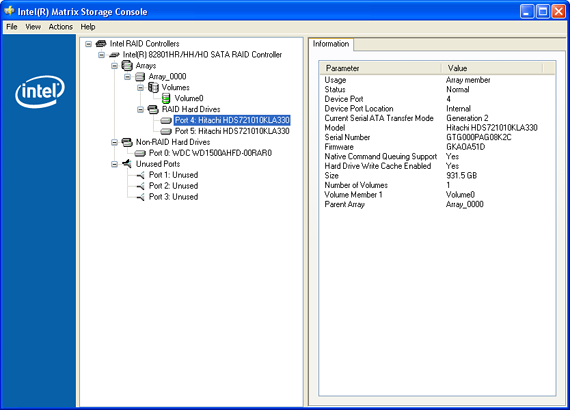
Outside of additional testing, the number one request was that we update our test platform. The thought process being that any true differences between RAID 0 and single drive performance were masked due to our test platform being both CPU and GPU limited. The other concern is the perceived lack of performance with the NVIDIA chipset in RAID operation due to what appears to be an artificial cap on sustained transfer and burst rates. Fortunately for us, as stated in the last couple of storage articles, we were already working on implementing a new test bed.
Our new test bed is based on the Intel QX6700 Quad Core CPU and the DFI Infinity 965-S motherboard featuring the Intel P965 and ICH8R chipsets. Along with one of the fastest motherboard/CPU combinations available we also added 2GB of PC2-9200 memory from OCZ and a liquid cooled 8800GTX from MSI. The balance of components utilized is available later on in the article. We found during testing over the past few weeks that this particular system should provide enough performance to ensure the majority of our tests are not CPU or GPU bound for the near future.
Our tests today are very limited in scope and only provide results from our Hitachi Deskstar 7K1000 and Western Digital WD1500 Raptor drives. The reason for this is that we are currently retesting our other drives on the new test platform and will fully roll out our expanded benchmark test suite in the upcoming 500GB+ roundup. However, the test results today should give a very good performance indication of RAID 0 without CPU or GPU limitations. There were a couple of surprises with the new test platform but overall you will find our opinion about RAID 0 did not change that much.
Our technical briefing on RAID 0 can be located here. Let's see how the Hitachi Deskstar 7K1000 drives perform in RAID 0 with a new test platform and a couple of revised benchmarks.
We are back today for a quick look at RAID 0 performance and hopefully our second round of results will answer more questions than it raises. However, we cannot guarantee this will happen based upon the numerous comments, suggestions, concerns, and heritage questioning emails we received on the subject matter. The vast majority of correspondence requested that we test additional RAID modes, stripe/allocation sizes, hardware RAID controllers, various chipsets, and different programs. We plan on providing the majority of this information over the coming weeks but for today's article we are going to concentrate on requests that seemed to resonate in the emails and comments we received.
Outside of additional testing, the number one request was that we update our test platform. The thought process being that any true differences between RAID 0 and single drive performance were masked due to our test platform being both CPU and GPU limited. The other concern is the perceived lack of performance with the NVIDIA chipset in RAID operation due to what appears to be an artificial cap on sustained transfer and burst rates. Fortunately for us, as stated in the last couple of storage articles, we were already working on implementing a new test bed.
Our new test bed is based on the Intel QX6700 Quad Core CPU and the DFI Infinity 965-S motherboard featuring the Intel P965 and ICH8R chipsets. Along with one of the fastest motherboard/CPU combinations available we also added 2GB of PC2-9200 memory from OCZ and a liquid cooled 8800GTX from MSI. The balance of components utilized is available later on in the article. We found during testing over the past few weeks that this particular system should provide enough performance to ensure the majority of our tests are not CPU or GPU bound for the near future.
Our tests today are very limited in scope and only provide results from our Hitachi Deskstar 7K1000 and Western Digital WD1500 Raptor drives. The reason for this is that we are currently retesting our other drives on the new test platform and will fully roll out our expanded benchmark test suite in the upcoming 500GB+ roundup. However, the test results today should give a very good performance indication of RAID 0 without CPU or GPU limitations. There were a couple of surprises with the new test platform but overall you will find our opinion about RAID 0 did not change that much.
Our technical briefing on RAID 0 can be located here. Let's see how the Hitachi Deskstar 7K1000 drives perform in RAID 0 with a new test platform and a couple of revised benchmarks.


 Facebook
 Twitter
 RSS
RSS


26 Comments
View All Comments
Abki - Friday, May 22, 2009 - link
RAID 0 only give faster transafer rate of data from/to disk.It dosent give anything else faster even if you want it. If time for get or put data to disk dosent matter you have to buy a cheaper disk instead. Why weaste money on raptor or Deskstar.
About raid 1, it isnt so good and safe. Accidents has happen with 2 disk system, 1 get failure and raid system transfer same fault to the other disk. In the end its no data on any disk that is usuable. The only tru safe is to have a backup of all data. Sould be taken at least every day. That is what the second disc should be used for and not RAD 1.
Axbattler - Tuesday, April 24, 2007 - link
I do believe that the main cost of stripping is the risk of failure. For everything though, you get what you pay for: the second drive, and the space associated with having a second drive. It is no harder to backup 2TB in RAID-0 than 2TB of individual drives, if you are going to have that much data, then it is an issue you are going to face anyway. So to me, it comes down to trading off risk of failure, and selected performance gains. I happen to think it is not worth it but I do think it is a matter of opinion (more of a 'to each their own' type of thing).michal1980 - Monday, April 23, 2007 - link
any one? I know its an extra drive. but you get some data protection, and some performance benefit, and you do not loss 50% of the drive space.but I heard bad things about on-board raid 5.
strikeback03 - Tuesday, April 24, 2007 - link
I don't believe you lose any drive space in RAID 0, as there is no data redundancy.yyrkoon - Tuesday, April 24, 2007 - link
The bad things you've heard concerning onboard RAID5 was probably performance related, which would most likely be true, since most onboard RAID would not have a good XOR 'engine', unless perhaps some of the server classed boards have them.As for Matrix RAID, I personally am a bit sceptical, from my limited understanding of it, it basically gives you the ability to do a RAID 0+1 array on two drives. Someone correct me if I am wrong.
tshen83 - Monday, April 23, 2007 - link
I thought last time I already criticized that reviewing the 1TB drive with RAID 0 performance is missing the point, yet you come up with a redux part on the same drive. First of all, I don't care how much Hitachi is paying YOU or AT to pimp this drive(obviously they paid the wrong guy). If you don't understand that comparing a 1TB drive against the raptors are STUPID, you should get your head checked. One is targetted at the MASS STORAGE people(you know, I should spell it out for you, the guys who want 4TB +) and the raptor is targetted at the people as a PERFORMANCE OS boot drive. COMPARING THOSE TWO DRIVES ARE STUPID!now, if you really need a triple redux on this stupid drive, you should cover power usage, noise, heat, and basically constantly read/write to the 1TB drive to see how long the deathstar will last.
sdsdv10 - Tuesday, April 24, 2007 - link
The title says it all...Sunrise089 - Monday, April 23, 2007 - link
Personal Attack: CheckTotally unsupported claim of bias: Check
Misunderstanding of market segments: Check
Use of ALL CAPS: Check
Improper understanding of "are/is": Check
Comment that makes you look like an ass: Check
tshen83 - Wednesday, April 25, 2007 - link
I will be honest:you are right about those: Personal Attach: Check and Use of ALL CAPS: Check
you are wrong about the following:
totally unsupported claim of bias? about what? about Hitachi drives being deathstars? Did you read that Hitachi bought the IBM deathstar hard drive business?
Improper understanding of "are/is"...ok...typo..so what? Try typing the whole message in 20 seconds.....you is stupid :)
comment that makes me look like an ass? So do you consider all criticisms make people look like ass?
Misunderstanding of Market Segment: Really? Is it me who misunderstood? The whole point I made is that Anandtech shouldn't review the 1TB drive against the raptors because the difference in market segment. 1TB isn't about performance. It's about mass storage. Mass storage drives needs different measurements: reliability(MTBF), RAID 1/5/6 performance, heat, noise, power consumption. OS performance drives(raptors) need those benchmarks: IO, Seek, Sustained write/read, etc. you get the point. Firmwares are tweaked differently for those two opposing sides.
I agree with the poster below you, Don't read the review: Check! To be honest, Anandtech hasn't come out with anything good for a while.(except that AppleTV review)
yyrkoon - Tuesday, April 24, 2007 - link
LMAOYou forget one thing on your check list.
Dont read the article ? CHECK !!!