



EVGA's GeForce GTX 285 Mac Edition: The Best for OS X?
by Anand Lal Shimpi on July 17, 2009 7:00 PM EST- Posted in
- GPUs
Upgrading anything other than memory or hard drives in a Mac is ridiculously frustrating. Most of Apple’s machines use mobile CPUs soldered on to the motherboards, which makes swapping chips an impossible affair. And the ones that don’t use mobile chips have other supermodel quirks associated with them, like being lidless.
Upgrading Mac video cards has always been an unreasonable pain. Mac versions of PC GPUs have always been ridiculously overpriced and taken far too long to come out. Apple still sells an ATI Radeon X1900 XT upgrade kit for the Mac Pro, for $399. Do I even need to point out how disappointing that is?
Lately Apple has been getting a bit better with GPU releases. The 8800 GT and even more recently, the Radeon HD 4870 have both been build-to-order GPU options directly from Apple. Even more awesome is that once Apple officially supports a conventionally PC video card, it just takes one user to dump the ROM from the Mac version and now we all have a way of hacking PC cards to become Mac editions.
In a completely surprising move however, EVGA has released a GeForce GTX 285 Mac Edition. Prior to this release, all 3rd party video card upgrades were branded either by ATI or NVIDIA - Apple doesn’t really support the upgrade market the way the PC industry does. What EVGA has done is given Mac users a very high end GPU option that they can buy from Apple.com or through a handful of other online vendors.
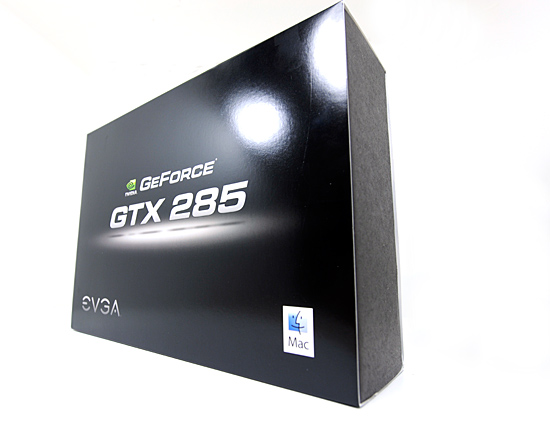
Why do you even need a GeForce GTX 285 Mac Edition? The hardware is identical to what you get (for $100 less) when you buy a PC card, the difference is in the packaging and firmware.
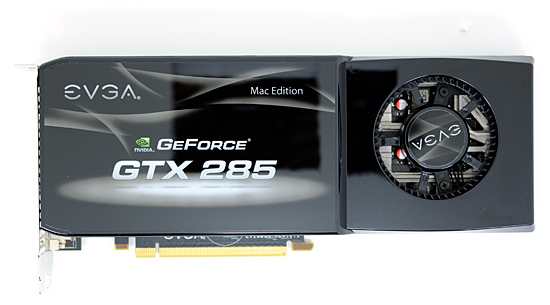
These cards are only useful in the Mac Pro, but the standard video card in any Mac Pro doesn’t require any additional PCIe power connectors. If you upgrade to a more power hungry video card, you’ll need one or two cables that connect the small PCIe power connectors on the Mac Pro’s motherboard to the connectors on the video card itself. These come in the GTX 285 Mac Edition box.
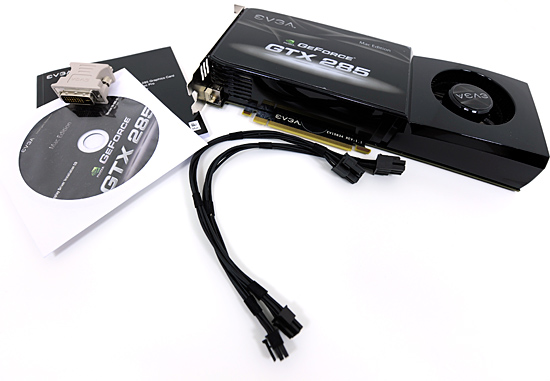
What's in the box
The other change is firmware. In order to get your PC video card to work under OS X it needs firmware with a few EFI hooks in it. It’s not a huge change, but for whatever reason the PC specific cards don’t have it. Now you can do some Googling (or Binging) and find ROM dumps for various PC cards that will enable Mac operation, or you can buy a card that comes EFI equipped from the factory.
EVGA is offering the latter, a GeForce GTX 285 with firmware that will allow it to POST and function under OS X without any modifications. It’ll also work just fine in Windows using Boot Camp.
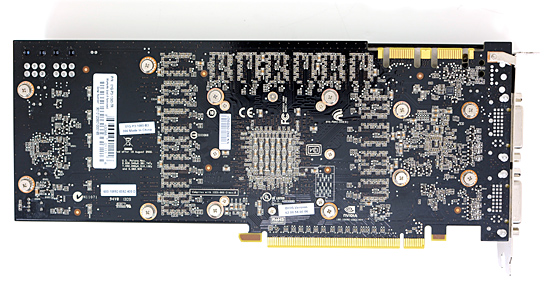
The price is a bit hefty at $449.99, especially considering that you can buy the PC firmware enabled GTX 285 from EVGA for around $330. The EVGA bundle does come with the two necessary power cables, which you’d have to buy separately if you were going the hack-your-own route; they absurdly retail for $30 a cable.
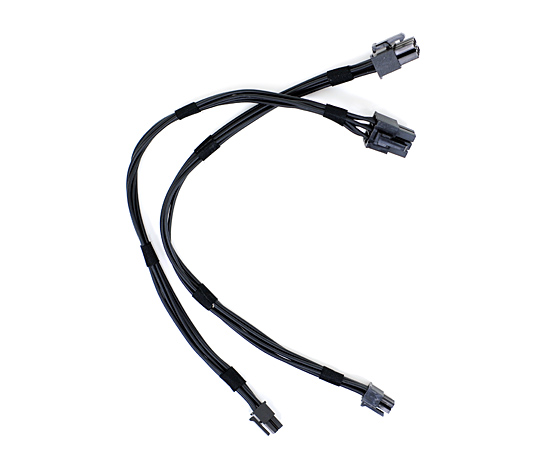
Looks can be deceiving, one end is a normal PCIe power connector, the other end is tiny PCIe power
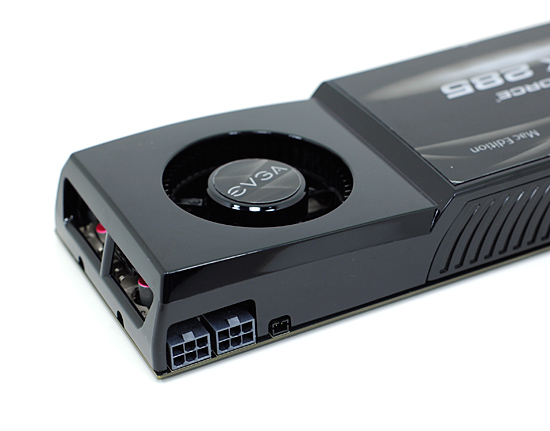
Unlike some earlier ATI Mac Edition cards, the GTX 285 ships with the exact same clocks as the PC version. The card even looks identical, the PCB even has a useless pair of SLI bridge connectors on it.
The bundle comes with a driver CD (yes, you’ll be needing it), a pair of power cables and a lone DVI to VGA adapter. Using VGA on a Mac, I’m pretty sure, is some sort of sacrilege but you can do it thanks to EVGA.
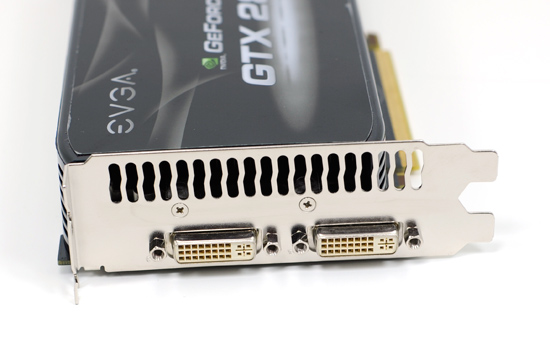
The card itself has two dual-link DVI outputs on it; there’s no support for mini-DisplayPort so owners of the new 24” LED Cinema Display are out of luck. The advantage that the EVGA card has over the two current BTO options on the Mac Pro is that you do get two dual-link DVI ports, something that you don’t get out of either of Apple’s options. Furthermore, it’s quite disappointing that Apple doesn’t offer the EVGA card as a BTO option on the new Mac Pro - it’s easily the most powerful GPU officially supported by Apple, yet it’s barred from coming pre-installed on the most powerful Mac.


 Facebook
 Twitter
 RSS
RSS


48 Comments
View All Comments
rpmurray - Tuesday, July 21, 2009 - link
So, is there going to be a follow-up on how to upgrade the card to 2GB?RawOysters - Tuesday, July 21, 2009 - link
Now if Mac users can only find a game to play.DKant - Monday, July 20, 2009 - link
Ergh. Still not used to or able to ignore trolls.The 100$ premium can be attributed to one simple fact I think - lower expected volume of shipping so higher premium per SKU.
And all that wolf in sheep's clothing talk? Anybody heard of Windows 7? Hundred plus dollars for a freaking SPITnSHINE? THAT is overpricing! The only reason MS is charging so much is that - again - it makes it want to look like a different OS and not just an upgraded and FINALLY polished Vista. Maybe 40$ is all it was actually worth, if not less.
And why don't people ever get that Apple charges for the OS + the hardware. My theory for Snow Leopard upgrade being priced at a ridiculous 30$ (ESPECIALLY considering Snow Leopard comes with some ACTUAL upgrades, and not just tweaks) is just that - Apple has already recovered some of the cost of the OS from the hardware sales, plus this simply is the best possible way of extending the service promised to their high-paying customers. There is a loyalty there that MS simply cannot hope to emulate any time in the short run, and that's not a fanboy talking. The ONE time they did extend some kind of good support was when they shelled out 1 billion to extend the warranty of 360's, and even THAT was done because they really didn't have a choice - people would have simply walked away otherwise.
Windows is a money-minting device. Apple actually cares about what they build and put thought into it. If I have to pay a gazillion dollars for that, it is fine. I don't mind paying a premium to reap the results of somebody else's hard work. :)
I'm not saying that because I'm an Apple fanboy or something. I'm infact a long-time Windows customer who is just FED up with all the bull I have to put up with. 100+ $ for an OS UPGRADE?! Insane amounts of money for an Office suite that I cannot even make a half-decent presentation (for people with taste) with? I have had to design a custom background, spend several costly minutes configuring the fonts and their positioning because the defaults are just SO arcane and butt-ugly. And so are the fonts they use everywhere. Ugh. UI changes that do not even make any sense (can you seriously read those transparent top-bars in Vista? SERIOUSLY? All that transparency only hurts my eyes) 30% red-ringing hardware (I know, old news). Nah. I have had enough of Microsoft. Thank you. (please don't) Come again.
OptimusP83 - Monday, July 20, 2009 - link
I use both Vista and Leopard, though I FAR prefer Leopard. I am a Graphic Designer and hence use OS X at work. Each OS has its ups and downs, but what really irks me about Windows is its lack of snappiness. Blame it on Vista if you want, but With OS X programs launch faster, basically everything I need to be productive in doing, happens faster in OS X. Now Clearly GPU performance has yet to catch up and I blame this on Apple as well as the GPU manufacturers.Also in regards to the FUD about OMG my i7 machine can roxxors yourz Mac Pro... They are machines with fundamentally different purposes. Yes you could most likely do the same work in the same amout of time on an i7 box, but Workstations are meant for very specific purposes in PRODUCTION environments. Yes there are people who would buy a MacPro to play games. They are idiots. I could build a Core2Quad box for 1/2 the cost of a MacPro and it would run games just as fast. But can you build an 8 core desktop machine? no. You have to PAY LAVISHLY to get a Xeon dual socket workstation for that. Yes the majority of applications wont run any faster from 4 cores to 8 cores (all else being equal) but for that tasks that do, machines like the MacPro are essential for maintaining productivity.
Having said that, the majority of the people posting on here would be much better served sticking to a consumer level desktop machine. Its really not worth the extra cost for them to get a dual socket machine. Hell even 4 cores are just finally being able to be utilized well...
Hxx - Monday, July 20, 2009 - link
"Windows is a money-minting device. Apple actually cares about what they build and put thought into it. If I have to pay a gazilliondollars for that, it is fine. I don't mind paying a premium to reap the results of somebody else's hard work. :) "
You cant compare apple with windows, its just doesnt make sense. Apple developes their own software assembles their own boxes and sells you the finished product. They use high quality components and they charge a little extra for them just because they offer a finished product.Does it make sense? it depends on the user i'd say. Microsoft on the other hand is a software developer. It is up to the user to either build a box or buy a prebuilt one. One can buy the highest quality hardware available and built one of the best and most expensive systems out there... or not. People dumb enough to criticize either OS are either not familiar with one of the two or just plain trolls.
OptimusP83 - Monday, July 20, 2009 - link
... are out in force today.4870s insanely easy to flash with an EFI capable rom provided you get the right model.
trochevs - Sunday, July 19, 2009 - link
There is FOSS test suit that I believe supports Mac OS X and series of OpenGL test. Have you try to run it?http://www.phoronix-test-suite.com/">http://www.phoronix-test-suite.com/
vailr - Sunday, July 19, 2009 - link
The Intel Northbridge chip (?) on the Mac Pro motherboard photo has no heatsink?That would seem to be an Apple design error, no?
Or: does it not get "too hot to touch"?
Demon-Xanth - Saturday, July 18, 2009 - link
One thing I just noticed, is that the TV out that's common with PC cards isn't there.MonkeyPaw - Saturday, July 18, 2009 - link
I must say, I'm surprised that Photoshop manages the video memory that way. To have to quit the app and not close the picture to recover the video memory? Terrible! Many people buy Macs for the professional photoshop work, and this has to be a serious drag on productivity once the RAM is gone. Do you think it's Adobe's fault, or could it be a limitation where OSX doesn't know what to do with window-in-window closing?